
The app
Small enough to do daily. Clear enough to trust.
Hiraal Lifecare was designed for people who are not looking for another app to learn. Every screen on this page is the real interface.
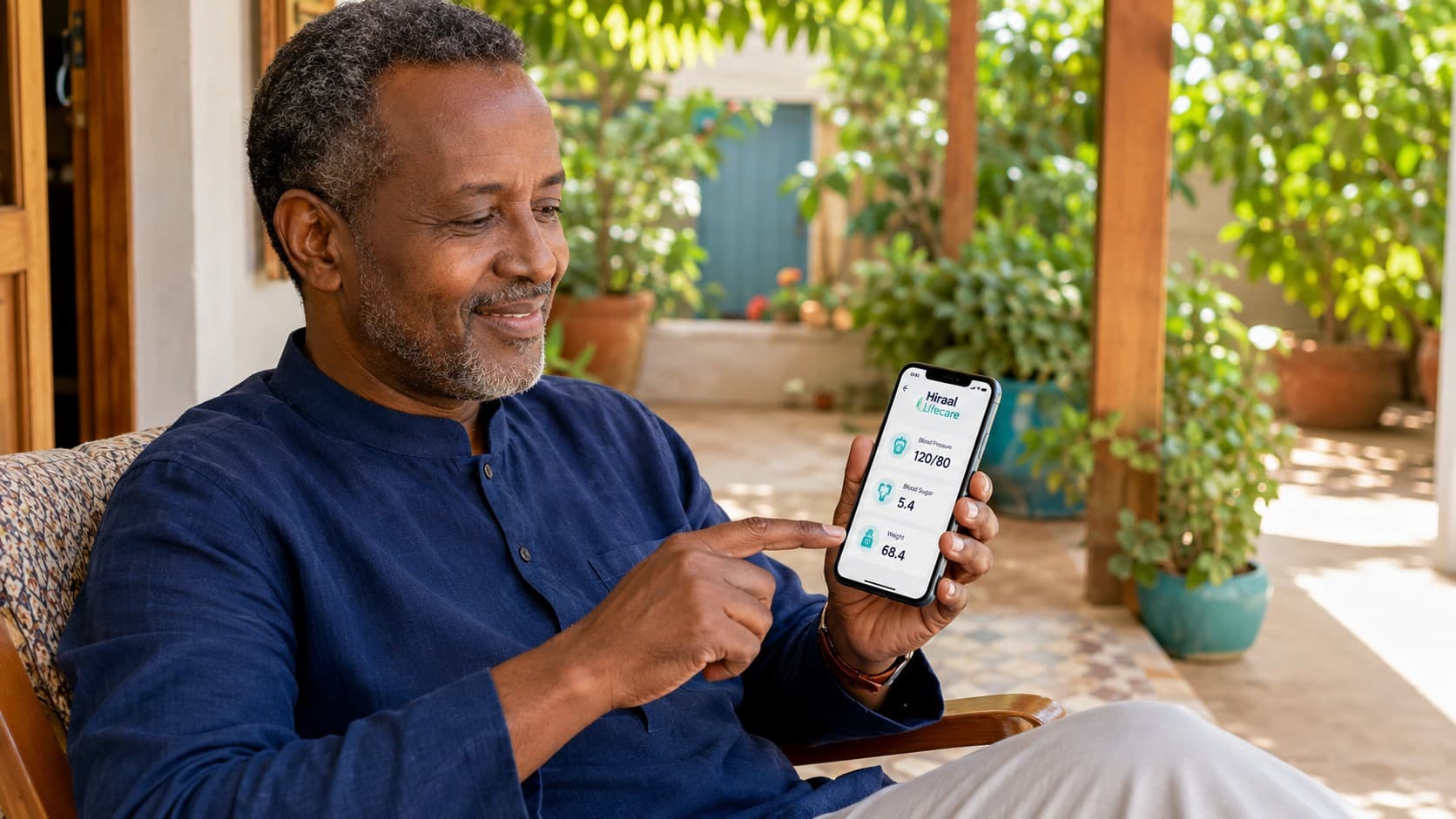
Screen by screen
What you will actually see.
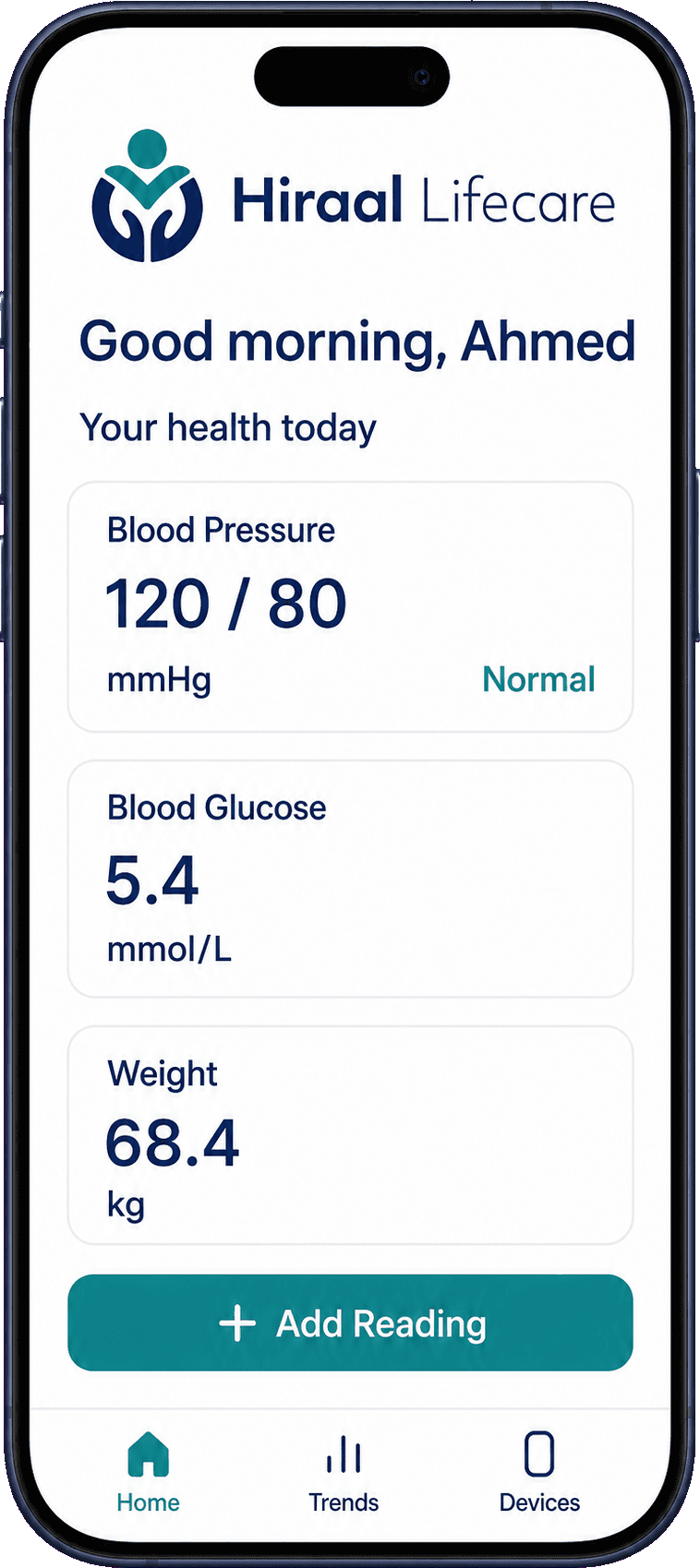
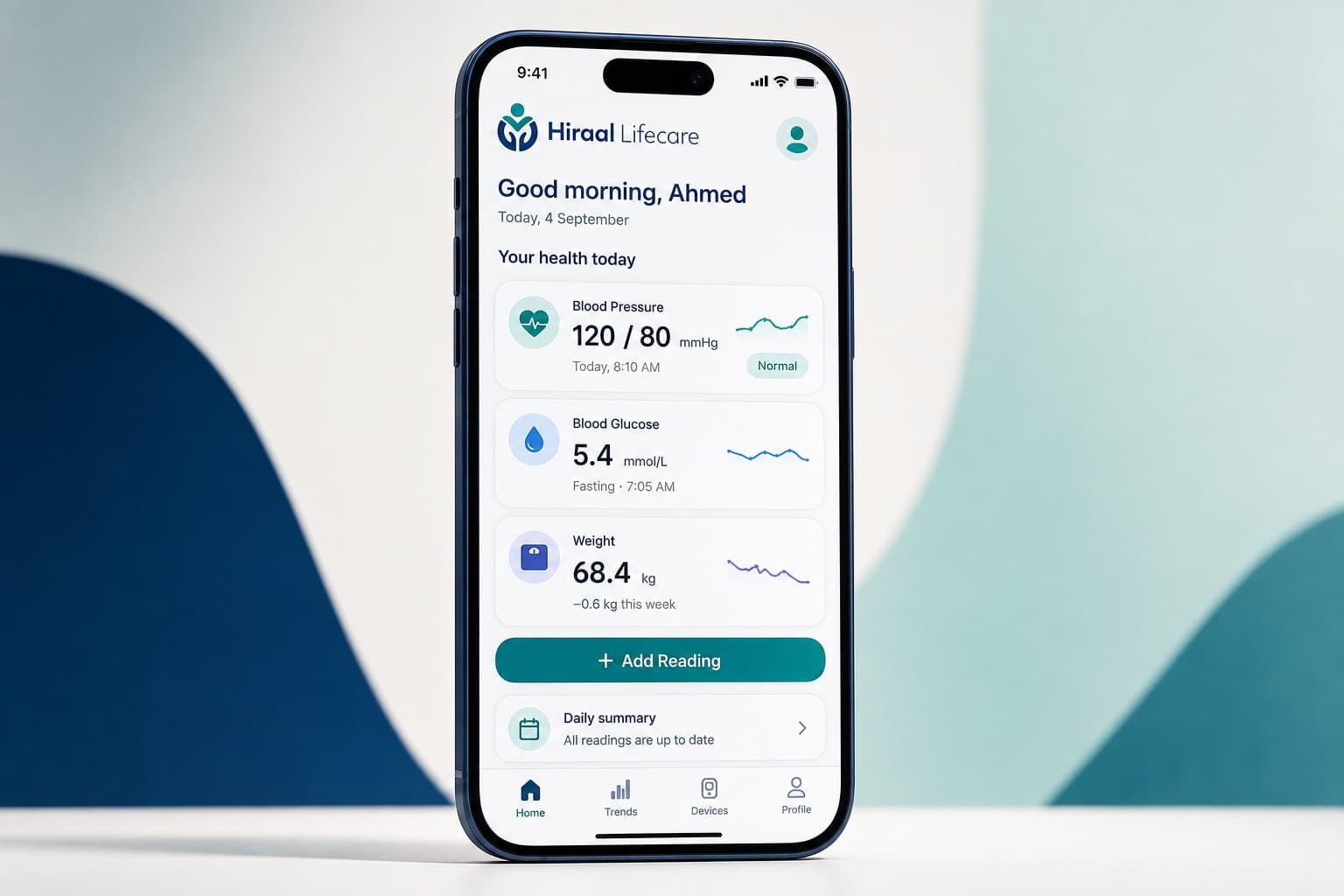
Home
Good morning, and today's three numbers. One button: Add Reading.
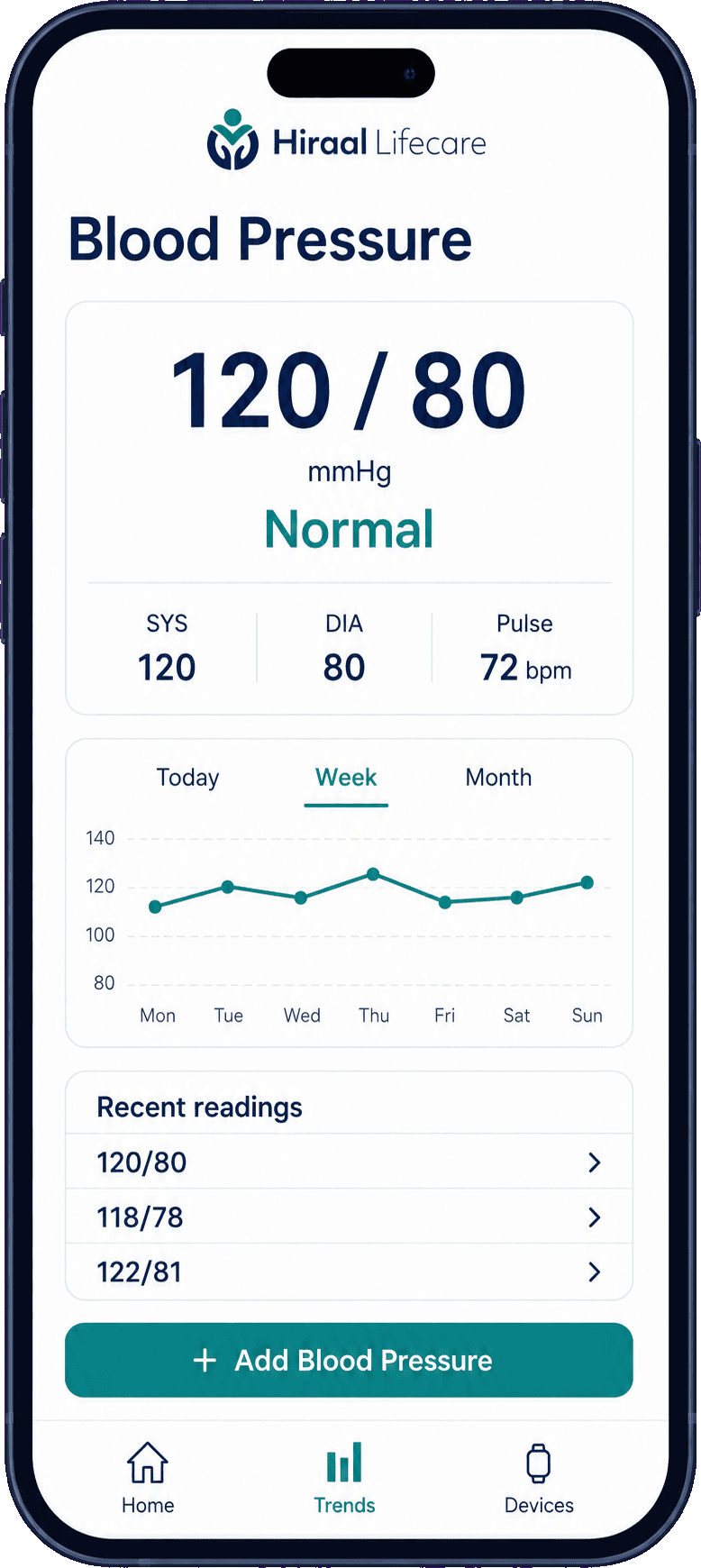
Blood pressure
120 / 80, answered Normal. Systolic, diastolic and pulse, the week as a line, and your recent readings.
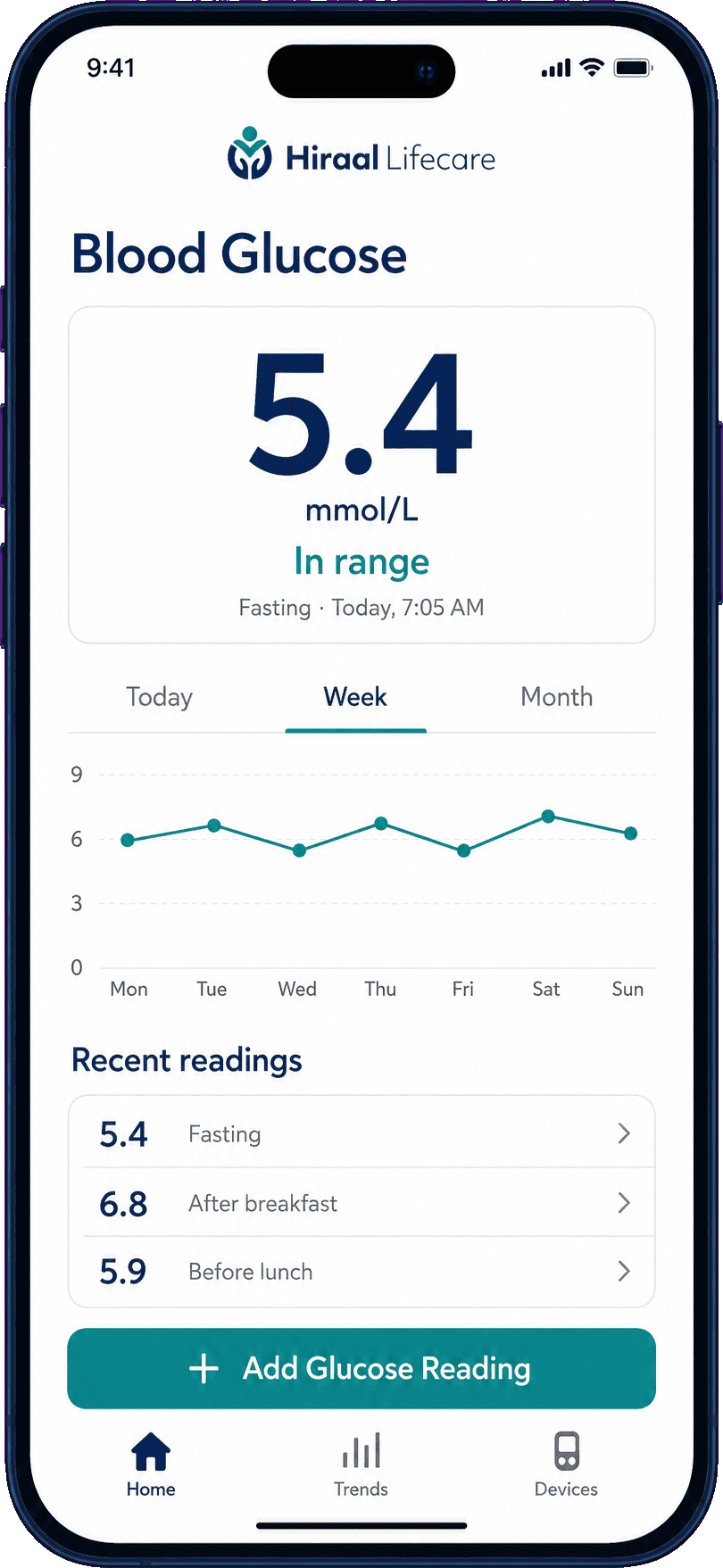
Blood glucose
5.4 mmol/L, in range, tagged Fasting. Readings tagged after breakfast and before lunch sit underneath.
The record
Your week, in one line.
Choose Today, Week or Month. One measure is drawn at a time, at a scale that suits it — blood pressure and blood sugar are never plotted on the same axis.
Under the chart, your recent readings sit in a plain list with the tag each one was given, so the numbers are there as well as the shape.
Five rules the interface follows
Decisions we made once, and kept.
01
One thing on screen
Each screen is about one measure. Nothing competes with the number.
02
Large numbers
The reading is the biggest thing on the screen, so it can be read at arm's length.
03
Nothing under 13 pixels
Body text is 15 pixels, labels are 13, and grey text never drops below a 4.5:1 contrast ratio.
04
Two colours, not six
Navy carries the structure and teal marks every action. Colour is never decoration.
05
Answer, don't just record
Every reading comes back as a word — Normal, In range. Capture on its own is only half the job.
Made to be usable
Built for the person, not the demo.
Large tap targets
Buttons are full width and tall. A shaky hand should not cost you a reading.
Large type
The reading is set large enough to read without reaching for glasses.
Plain language
Normal. In range. Fasting. After breakfast. No clinical vocabulary anywhere in the interface.
A daily summary
One line on the home screen tells you whether today's readings are up to date.
Get the app
Download Hiraal Lifecare
Free to download and free to use, for iPhone and Android. The store listings are being prepared — when they are live, the badges below will take you straight to them.
Hiraal Lifecare helps you record and follow your own health measurements. It does not diagnose, treat or monitor you, and it is not a substitute for professional medical advice.